
FIRE AND ASHES Steam Guide: Specs, Features, AND Tips
Explore FIRE AND ASHES Steam requirements, controller support, voice mechanics, and survival tips. Get ready for Henry Gray's eerie Windows PC nightmare.
Jump to
Is FIRE AND ASHES on Steam?
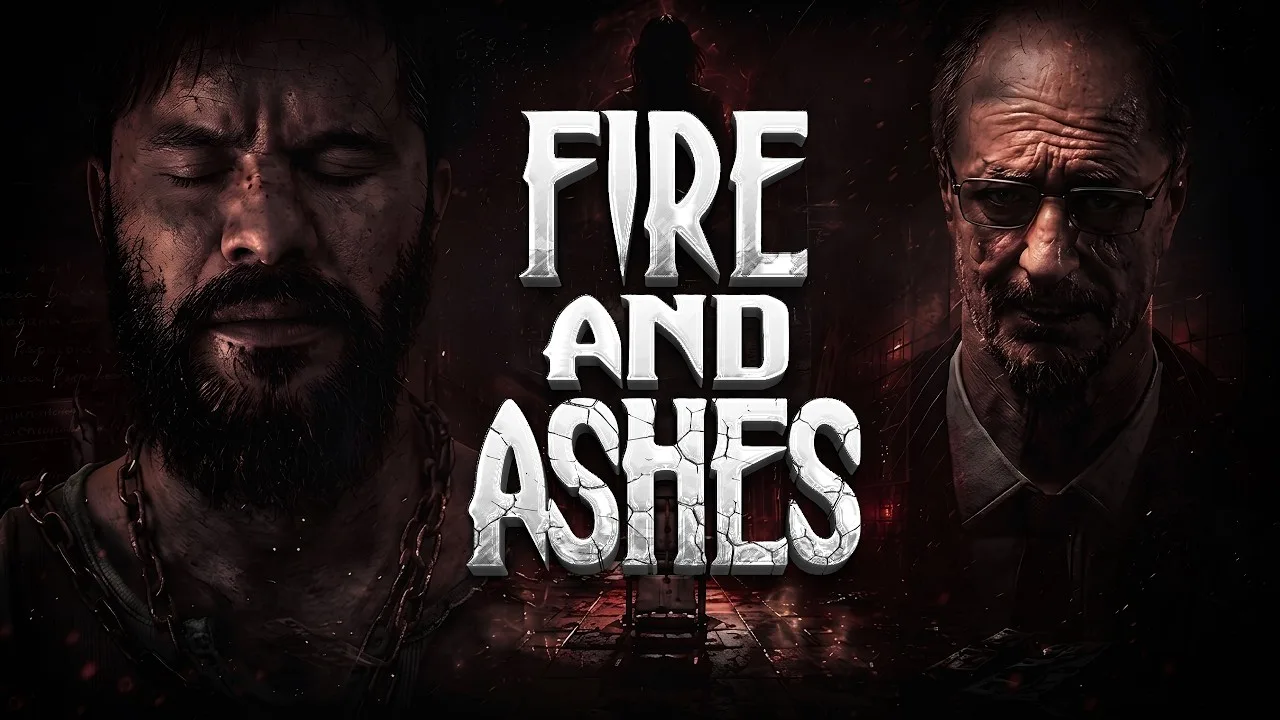
FIRE AND ASHES Steam puts your voice inside the nightmare: speaking can expose your position, distract an enemy, or turn an encounter in your favor. The psychological action horror game launched on October 14, 2026, and is available for Windows PC. Before starting FIRE AND ASHES Steam, check your hardware and decide whether you want microphone input enabled, because ordinary conversation can become part of the action.
Developed by ASDstudio and published by Antelus Games, the game follows Henry Gray through a psychiatric hospital and disturbing locations connected to his past. Exploration, puzzles, scavenging, and combat all play a role.
| Steam detail | What you need to know |
|---|---|
| Release date | October 14, 2026 |
| Developer | ASDstudio |
| Publisher | Antelus Games |
| Steam app ID | 1751730 |
| Native desktop platform | Windows |
| Game mode | Single-player |
| Installation space | 30 GB available |
| Microphone | Optional; the game can be completed without one |
You can open the FIRE AND ASHES Steam page to purchase the game and access its download options. A separate demo is also associated with the game under app ID 1840680.
The key distinction is that Henry can fight. Alongside the unsettling hospital setting, expect melee weapons, a pistol, and an electrical device tied to the voice mechanics. Your attention shifts between finding a route forward, managing resources, and dealing with enemies rather than relying entirely on hiding.
For your FIRE AND ASHES Steam setup, the hardware requirements and optional microphone system are the practical starting points.
PC System Requirements and Storage
The minimum specifications pair an Intel Core i5-4440 with a GeForce GTX 1060. The recommended specifications move up to an Intel Core i7-4770k and GeForce RTX 3060, while retaining the same memory and storage requirements.
 Image: PlayStation Store
| Component | Minimum | Recommended |
|---|---|---|
| Operating system | Windows 10 or Windows 11, 64-bit | Windows 10 or Windows 11, 64-bit |
| Processor | Intel Core i5-4440 or equivalent | Intel Core i7-4770k or equivalent |
| Memory | 8 GB RAM | 8 GB RAM |
| Graphics | GeForce GTX 1060 or equivalent | GeForce RTX 3060 or equivalent |
| DirectX | Version 11 | Version 11 |
| Storage | 30 GB available space | 30 GB available space |
| Sound card | DirectX-compatible sound card | DirectX-compatible sound card |
Both configurations require a 64-bit processor and operating system. Native macOS and Linux versions are not supported.
When comparing your computer with the FIRE AND ASHES Steam requirements, check the processor and graphics card separately. Having the recommended amount of RAM does not replace the need for suitable graphics hardware. The jump from a GTX 1060 to an RTX 3060 is especially worth noticing when assessing the two configurations.
Check available drive space before downloading, and compare your GPU model against the requirements rather than judging by the computer’s age alone.
Treat the minimum and recommended specifications as hardware targets. They do not provide a particular resolution, frame rate, or graphics preset. Choose your starting settings with your own hardware in mind, then assess movement and combat responsiveness before settling into a longer session.
Dark corridors and sudden attacks demand attention already; get comfortable with the controls and mouse sensitivity early so those adjustments do not interrupt an encounter.
How Voice Recognition Changes Survival
Sound is the defining feature of FIRE AND ASHES Steam. With microphone input enabled, the game responds to breathing, whispers, and louder vocal reactions. Your voice can reveal you, but it also gives you ways to influence enemies.
That creates a useful tension: staying quiet and deliberately making noise serve different purposes.
| Voice interaction | Gameplay purpose |
|---|---|
| Staying quiet | Avoid giving away your position through microphone input |
| Shouting | Distract enemies or create an opportunity to escape |
| Taunting opponents | Create openings for an attack |
| Voice-triggered counterattack | Perform a counterattack through a shout when microphone input is enabled |
| Activating Electric Voice | Deliver electrical attacks through the device |
A microphone is recommended for immersion, but you can complete the entire game without one. Button alternatives let you use the relevant actions without speaking.
Choose your input method around your playing environment. Disable microphone input if you need to talk continuously during a stream or conversation. With voice recognition active, that chatter can attract enemies while you are trying to explore.
If you enable the microphone, make deliberate use of silence. Save a shout for a distraction or an opening instead of filling every corridor with noise. The mechanic gives your voice a purpose, so use it with the same care you give a weapon.
What the Electric Voice Device Does
Electric Voice turns vocal input into an electrical attack against compatible enemies with implanted diodes. It can stun a target, and sustaining the attack can kill it. The device has limited charge and recharges at special electrical boxes.
Its uses extend beyond combat: it can also power electrical doors, lamps, and other objects.
Use shorter attacks when your aim is to stun an opponent while conserving charge. Commit to a longer discharge when you intend to finish the target. Keep the device’s remaining power in mind before spending it on repeated attacks, especially when electrical interactions also need your attention.
The device makes sound a resource decision as well as a stealth concern. You are choosing when to draw attention, when to interrupt an enemy, and how much charge to spend doing it.
Combat, Exploration, and Puzzle Tips
FIRE AND ASHES Steam combines close combat with resource gathering and investigation. Henry begins in a psychiatric ward in 1977, waking in a blood-filled bathtub. From there, his journey reaches beyond the hospital into places connected to his memories.
Enemies include hostile guards, patients, supernatural beings, and experimental creations. Puzzles and clues gradually connect these encounters to the tragedy in Henry’s past.
Keep that mixture in mind when exploring. A room can matter because of an item, a clue, or an interaction rather than an enemy waiting inside it.
Watch Weapon Condition and Stamina
Melee weapons can break, and stamina affects your combat options. Parrying involves blocking as an enemy strikes; a successful parry knocks the opponent off balance and creates an opportunity to counterattack.
A special icon indicates when a powerful counterattack is available, provided you have enough energy.
- Check weapon condition before committing to another fight.
- Keep a replacement weapon in mind while scavenging.
- Preserve enough stamina to capitalize on an opening.
- Watch for the counterattack icon after a successful parry.
- Use electrical stuns deliberately rather than exhausting the device’s charge.
Avoid building every encounter around one favored weapon. Breakable equipment makes the next usable melee weapon worth noticing, even while you are looking for a key or healing item.
Use the counterattack indicator to recognize an opening instead of assuming that every block has earned one.
Read Notes Before Searching More Rooms
Keys, written clues, and environmental interactions all contribute to moving forward. Read a note when you find it and connect its wording to the spaces around you before checking another stretch of corridors.
For example, an early message refers to room six. Pay attention to that room reference rather than searching without a destination. The hospital contains many similar spaces, so a concrete clue gives your exploration direction.
Keep story clues separate from immediate objectives in your mind. Some details explain Henry’s circumstances; others point toward an item or interaction you need now.
Manage Light and Electrical Power
Electrical puzzles become part of the journey, and a forest sequence uses powered lampposts to create protection from demons. The lights require attention, and their brightness warns you when power is fading.
Recharge your device when necessary and activate the next light before the current protection disappears. Watch the lamp as well as the path ahead.
That sequence applies the same resource awareness as combat: spending electrical charge has consequences, whether you are stunning an enemy or keeping a safe patch of light active.
Controller Support, Languages, and Steam Features
FIRE AND ASHES Steam includes full controller support, Steam Achievements, and Family Sharing. DualShock and DualSense controller support are also included.
| Feature | Support |
|---|---|
| Full controller support | Yes |
| DualShock controllers | Supported |
| DualSense controllers | Supported |
| Steam Achievements | Included |
| Family Sharing | Included |
| Multiplayer | Single-player game |
| Full audio languages | English and Russian |
Controller support and microphone input are separate choices. You can play with a controller while choosing whether to use voice recognition, and the full game remains completable without a microphone.
Supported languages include English, French, Italian, German, Spanish–Spain, Russian, Simplified Chinese, Armenian, Portuguese–Brazil, and Japanese. English and Russian include full audio support.
Choose your language before getting deep into the opening sequence. Notes, dialogue, and puzzle clues matter throughout the game, so use a language you can comfortably follow.
Before starting, run through these practical checks:
- Compare your processor and GPU with the PC requirements.
- Make sure the installation drive has 30 GB available.
- Choose controller or keyboard-and-mouse input.
- Decide whether background conversation makes microphone input inconvenient.
- Adjust sensitivity before relying on quick turns during combat.
Expect a bloody psychological horror game with scavenging, close combat, and environmental puzzles. Keep the story discoveries for your playthrough, and focus your preparation on hardware, controls, and the sound system that makes this particular nightmare unusual.
FAQ
Is FIRE AND ASHES Steam available now?
Yes. FIRE AND ASHES launched on Steam on October 14, 2026. The Windows PC version is developed by ASDstudio and published by Antelus Games.
Do you need a microphone to play?
No. You can complete the whole game without a microphone. Voice recognition adds interactions involving noise, enemy distraction, and combat, while button alternatives allow you to play without speaking.
Does FIRE AND ASHES support controllers on PC?
Yes. The Steam version includes full controller support, including DualShock and DualSense support. It also includes Steam Achievements and Family Sharing.
What are the minimum PC requirements?
You need 64-bit Windows 10 or Windows 11, an Intel Core i5-4440 or equivalent, 8 GB RAM, and a GeForce GTX 1060 or equivalent. The game also requires DirectX 11, a compatible sound card, and 30 GB of available storage.
Continue with
 FIRE AND ASHES System Requirements: Can Your PC Run It?Check FIRE AND ASHES system requirements, including minimum and recommended PC specs, storage, Windows support, and microphone options before you play.
More in Platforms
FIRE AND ASHES Demo: Downloads, Platforms, AND PC Specs
Get the FIRE AND ASHES demo on Steam and Xbox Series X|S, compare PC requirements, and learn how optional microphone controls shape your horror experience.
FIRE AND ASHES PS5: Release, Price, AND Gameplay Guide
Explore FIRE AND ASHES PS5 release details, its $19.99 price, microphone controls, horror gameplay, and launch issues before entering Henry's nightmare.

FIRE AND ASHES Xbox Guide: Release, Features, AND Tips
Explore FIRE AND ASHES Xbox features, its Series X|S release date, microphone gameplay, and survival tips before stepping into Henry Gray's nightmare.
Continue exploring
FIRE AND ASHES Enemies: Enemy Types AND Combat Tips
Learn how to handle FIRE AND ASHES enemies with melee counters, Electric Voice stuns, and protective light. Prepare for hospital threats and forest demons.
FIRE AND ASHES Melee Combat: Parry AND Survival Guide
Master FIRE AND ASHES melee combat with tips for parries, counterattacks, weapon durability, and Electric Voice. Save your energy and survive close fights.
Join the community
Official channels for news, updates and player help: