
FIRE AND ASHES Xbox Guide: Release, Features, AND Tips
Explore FIRE AND ASHES Xbox features, its Series X|S release date, microphone gameplay, and survival tips before stepping into Henry Gray's nightmare.
Jump to
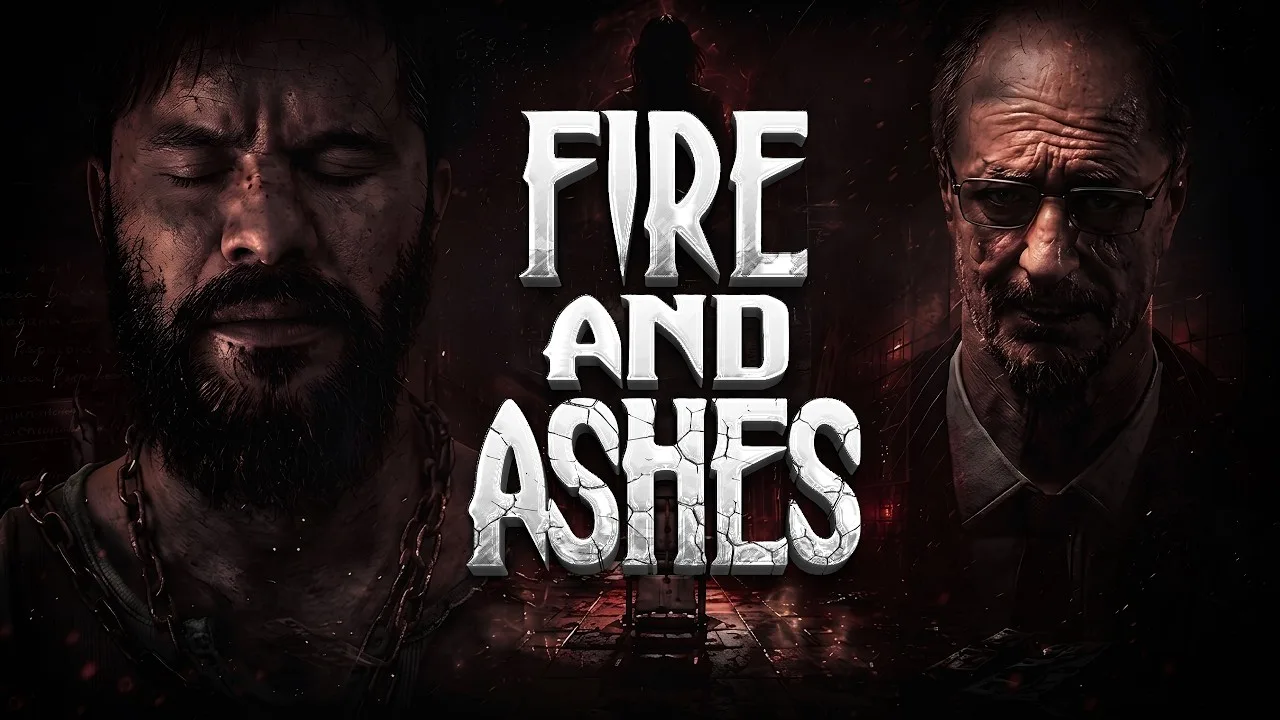
Is FIRE AND ASHES Xbox Available?
Your own voice can draw danger toward you in FIRE AND ASHES Xbox, which released for Xbox Series X|S on October 23, 2026. Knowing how its sound mechanics work matters because breathing, whispers, and shouts can affect encounters. FIRE AND ASHES Xbox also supports playing without a microphone, so you can enter Henry Gray’s nightmare without making voice recognition part of your setup.
Developed by ASDstudio and published on Xbox by Axyos Games, this single-player horror game combines exploration, puzzles, improvised combat, and a story built around Henry’s troubled past. Its Xbox release followed the Windows Steam launch on October 14, 2026.
Here are the essential console details:
| Detail | Xbox version |
|---|---|
| Supported consoles | Xbox Series X and Xbox Series S |
| Xbox release date | October 23, 2026 |
| Developer | ASDstudio |
| Xbox publisher | Axyos Games |
| Player mode | Single player |
| Microphone requirement | Optional |
| Age rating | Mature 17+ |
You can buy FIRE AND ASHES for Xbox Series X|S through the official Xbox store.
Before buying, consider the content rating alongside the premise. This is graphic horror with intense violence, blood and gore, sexual themes, partial nudity, and strong language. The hospital setting leads into disturbing laboratories and other locations tied to Henry’s memories.
For FIRE AND ASHES Xbox players, the main choice is how to engage with its voice system. Use a microphone if you want your real-world sounds involved in survival, or play without one if speaking aloud does not suit your space.
What Kind of Horror Game Are You Getting?
The story begins in 1977, when Henry Gray awakens inside Paul Staderbeiger Psychiatric Hospital. His immediate problem is survival, but escaping the building is only part of a journey that reaches into his past.
 Image: PlayStation Store
Henry moves through deteriorating hospital corridors, laboratories, and increasingly disturbing environments where reality becomes difficult to separate from nightmare. Guards, dangerous patients, and monstrous entities stand between him and the answers he needs.
That setup gives FIRE AND ASHES Xbox several connected activities:
- Explore hostile locations and search for useful resources.
- Solve puzzles that move the story forward.
- Collect clues about the tragedy in Henry’s past.
- Fight with improvised weapons when cornered.
- Use sound to distract, provoke, or subdue enemies.
The investigation matters as much as the immediate escape. Someone is guiding Henry through these places, and understanding that presence is part of the mystery.
Pay attention to clues as you find them. Henry’s history connects the hospital to the locations beyond it, so reading the story details helps give those changes meaning. Avoid treating every new environment as an isolated obstacle.
Expect direct confrontation alongside quieter moments. Melee combat is part of the game, and voice interactions can create openings against guards. Build your approach around the situation: remain quiet when avoiding attention, then use deliberate sound when you need a distraction or an opportunity to act.
The central tension comes from that changing relationship with noise. A sound that exposes Henry in one encounter can become a useful tool in another.
How Microphone and Voice Gameplay Work
FIRE AND ASHES Xbox uses voice recognition that responds to breathing, whispers, screams, and spoken words. That makes your microphone an active input during play rather than something reserved for conversation.
Silence and volume serve different purposes. Holding your breath can help avoid attracting attention, while shouting can draw monsters away. Taunting guards can create an opening during melee combat.
| Voice interaction | Gameplay purpose |
|---|---|
| Breathing and whispers | Sounds the voice system can detect |
| Holding your breath | Avoid attracting attention |
| Shouting | Lure monsters away or distract enemies |
| Taunting guards | Create openings during melee encounters |
| Activating Electric Voice | Use a voice-responsive pacification device |
Make Sound Deliberate
Decide what you want an enemy to do before making noise. If your aim is to remain unnoticed, avoid unnecessary speech. If you need a distraction, use your voice with that purpose in mind.
Treat a shout as a tactical action. Drawing a monster away and provoking a guard are different uses of the same broad mechanic, so match the sound to your immediate objective.
The game’s premise also creates an unusual challenge for horror fans: reacting to a scare can itself become relevant to play. Control your breathing and avoid talking through tense moments when you are trying to stay quiet.
Playing Without a Microphone
You can play FIRE AND ASHES without a microphone, and the game can be completed that way. Voice recognition adds an interactive layer, but owning a headset is not a condition for reaching the end.
Choose the setup that fits where you play. If speaking aloud would disturb other people, play without a microphone. If the idea of managing your actual breathing and voice appeals to you, use one to engage with those mechanics.
Keep that choice separate from the game’s single-player format. The microphone supports interactions with the game world; this is a solo adventure centered on Henry’s survival.
Electric Voice, Combat, and Resource Management
Electric Voice gives sound another role beyond attracting enemies. This device delivers electrical attacks to compatible opponents with implanted diodes, allowing Henry to pacify dangerous targets.
Its operation connects the length of a shout to the duration of the electrical current. Shorter use can stun an enemy while conserving charge, while sustained activation can become lethal.
Electric Voice also interacts with powered objects. Its functions extend to electric doors, lamps, and other objects that require electricity.
| Device feature | How it works | Practical tip |
|---|---|---|
| Electrical targeting | Affects opponents with implanted diodes | Consider the target before spending charge |
| Sustained activation | Produces current while the shout continues | Stop when you have achieved your immediate goal |
| Pacification | Can stun compatible enemies | Use a brief stun when it provides the opening you need |
| Environmental interaction | Can supply power to doors, lamps, and other objects | Consider nearby electrical interactions before draining it |
| Limited charge | Requires recharging at a special electric box | Conserve energy between opportunities to recharge |
Use Only the Force You Need
Avoid holding an electrical attack longer than necessary. The device draws from a limited charge, and prolonged activation commits more of that resource to the current encounter.
If stunning an opponent gives you the opening you need, release the attack. If you choose sustained damage, recognize that you are also spending energy that could serve another purpose.
The same resource can matter outside combat. Remember the device’s environmental functions when deciding whether to exhaust it against an enemy.
Keep Improvised Weapons in Mind
Henry can also fight with weapons found during his journey. Electric Voice belongs within that broader survival toolkit rather than replacing every other response to danger.
Use taunts deliberately when facing guards, since provoking them can create melee openings. When avoiding confrontation, keep your sound under control instead.
For FIRE AND ASHES Xbox, these mechanics connect resource management to decision-making: how much noise to make, whether to stun or continue attacking, and when to preserve electrical charge.
Xbox Features and Practical Preparation
FIRE AND ASHES Xbox includes Series X|S optimization, console keyboard and mouse support, achievements, and cloud saves. Its presentation features include 4K Ultra HD, 60 fps+ support, and spatial sound.
| Xbox feature | What it adds |
|---|---|
| Optimized for Xbox Series X | S |
| 4K Ultra HD | High-resolution presentation support |
| 60 fps+ | High-frame-rate support |
| Spatial Sound | Spatial audio support |
| Console Keyboard & Mouse | Keyboard and mouse input on console |
| Xbox achievements | Achievement tracking |
| Xbox cloud saves | Cloud save support |
The resolution and frame-rate features describe supported capabilities; they are not a performance benchmark for every scene on each console. Choose your display and input setup around the features you want to use.
Console keyboard and mouse support is useful if that is your preferred input method. Keep it separate from the PC version’s control options: PC controller remapping and sensitivity features do not describe the Xbox controls.
Prepare for Sound-Based Encounters
Give the game’s audio your attention. Because sound is part of enemy interaction and your own voice can influence encounters, avoid unnecessary conversation when trying to remain unnoticed.
Keep your next action clear before using a distraction. Decide whether you want to draw attention away, provoke a guard, or activate Electric Voice. Then make the sound serve that decision.
If you prefer playing quietly at home, use the microphone-free option. You can still work through the story without needing to whisper or shout in your room.
Keep the Story and Survival Connected
Explore with both immediate needs and Henry’s history in mind. Resources help him survive, while clues and puzzles reveal why these places matter.
Use this short checklist as you play:
- Read clues instead of rushing past the investigation.
- Stay quiet when your goal is avoiding attention.
- Shout deliberately when you need a distraction.
- Stop electrical attacks once they accomplish your purpose.
- Remember Electric Voice can interact with powered objects.
- Choose microphone play based on your space and preferences.
The appeal is the combination of psychological horror and sound-driven interaction. If managing your voice under pressure interests you, that mechanic gives Henry’s journey an additional demand: staying composed while the game tries to unsettle you.
FAQ
What is the FIRE AND ASHES Xbox release date?
FIRE AND ASHES released for Xbox Series X|S on October 23, 2026. The Windows Steam version launched earlier, on October 14, 2026.
Do you need a microphone to play?
No. You can complete the game without a microphone. Using one enables voice recognition that responds to sounds such as breathing, whispers, and shouts.
Does FIRE AND ASHES support keyboard and mouse on Xbox?
Yes. The Xbox version supports console keyboard and mouse input. It also includes Xbox achievements and cloud saves.
Is FIRE AND ASHES multiplayer?
No. FIRE AND ASHES is a single-player horror game. You play as Henry Gray, exploring disturbing locations, solving puzzles, gathering clues, and fighting enemies throughout his journey.
Continue with
 FIRE AND ASHES Demo: Downloads, Platforms, AND PC SpecsGet the FIRE AND ASHES demo on Steam and Xbox Series X|S, compare PC requirements, and learn how optional microphone controls shape your horror experience.
More in Platforms
FIRE AND ASHES PS5: Release, Price, AND Gameplay Guide
Explore FIRE AND ASHES PS5 release details, its $19.99 price, microphone controls, horror gameplay, and launch issues before entering Henry's nightmare.
FIRE AND ASHES Steam Guide: Specs, Features, AND Tips
Explore FIRE AND ASHES Steam requirements, controller support, voice mechanics, and survival tips. Get ready for Henry Gray's eerie Windows PC nightmare.
FIRE AND ASHES System Requirements: Can Your PC Run It?
Check FIRE AND ASHES system requirements, including minimum and recommended PC specs, storage, Windows support, and microphone options before you play.
Continue exploring

Join the community
Official channels for news, updates and player help: