
FIRE AND ASHES Demo: Downloads, Platforms, AND PC Specs
Get the FIRE AND ASHES demo on Steam and Xbox Series X|S, compare PC requirements, and learn how optional microphone controls shape your horror experience.
Jump to
Where Can You Download the FIRE AND ASHES Demo?
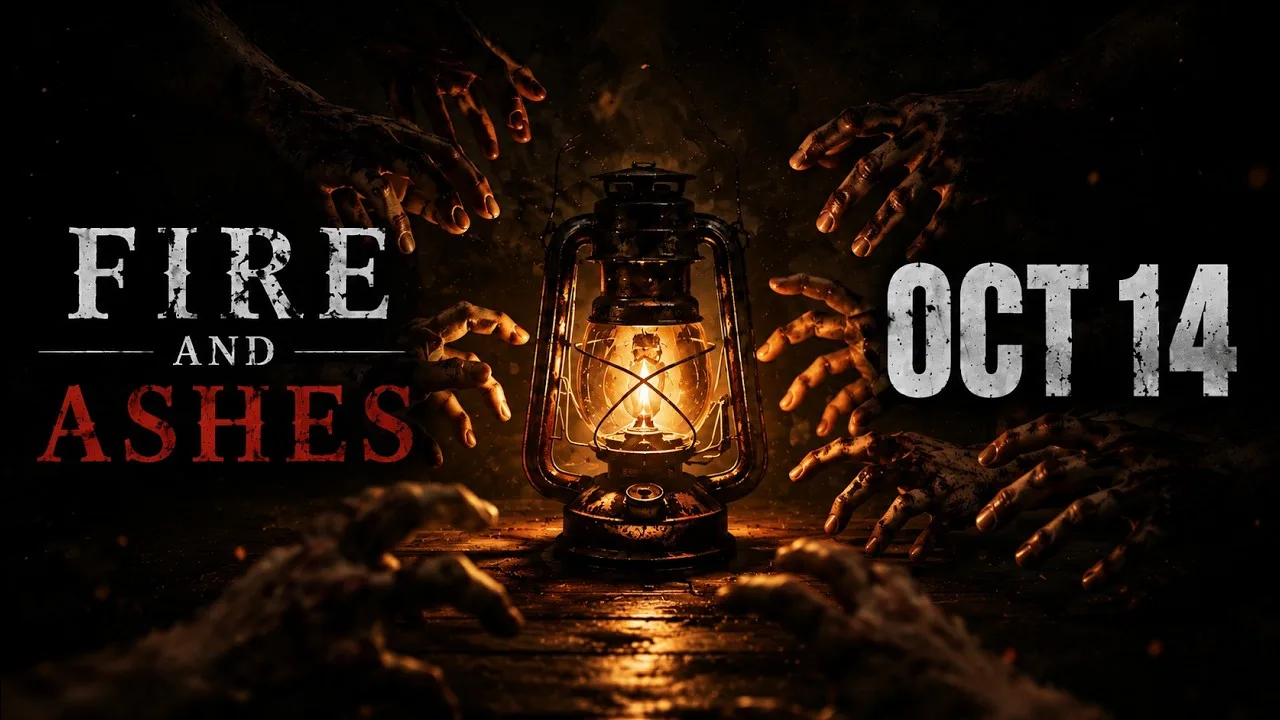
Your voice can give you away in the FIRE AND ASHES demo, turning an ordinary reaction into part of the horror. Trying it gives you a chance to explore the game's unsettling premise before committing to Henry Gray's nightmare. The FIRE AND ASHES demo has download destinations on Steam for Windows PC and the Xbox Store for Xbox Series X|S.
Developed by ASDstudio, FIRE AND ASHES combines psychological horror, exploration, puzzles, and violent combat. Microphone interaction adds another layer: breathing, whispering, and shouting can affect how you handle danger. You can also play without a microphone.
| Demo platform | Where to get it | Platform details |
|---|---|---|
| Windows PC | Visit FIRE AND ASHES on Steam | The game has a separate Steam demo, app ID 1840680 |
| Xbox Series X|S | Get the FIRE AND ASHES Xbox demo | A dedicated demo product supports Xbox Series X|S |
On PC, use the Steam page as your starting point for the demo and full game. On console, choose the product titled FIRE AND ASHES - DEMO. That distinction matters when you want the trial rather than the complete release.
The Xbox demo carries a 6/4/2026 release date. The full PC game launched on October 14, 2026. Those dates belong to different products, so keep them separate when comparing versions.
The Xbox demo also carries a Mature 17+ rating for intense violence, blood and gore, sexual themes, partial nudity, and strong language. Expect horror with graphic content alongside its psychological themes.
What Kind of Horror Are You Stepping Into?
FIRE AND ASHES takes place in 1977 and follows Henry Gray, who awakens inside Paul Staderbeiger Psychiatric Hospital. His surroundings are hostile, his past hangs over everything, and finding a way out means confronting more than locked doors.
 Image: PlayStation Store
The game's premise moves between physical danger and a deeply personal nightmare. Hospital corridors, laboratories, and locations connected to Henry's past form a journey in which reality becomes increasingly difficult to trust.
Three connected activities shape the experience:
- Exploration: Search unsettling environments and gather resources.
- Investigation: Find clues and solve puzzles tied to Henry's history.
- Combat and survival: Use available weapons and sound to deal with threatening enemies.
Guards, former patients, experimental creations, and supernatural entities populate the wider game. Improvised weapons give Henry ways to fight back, while voice interaction introduces opportunities to distract or provoke opponents.
That combination makes the FIRE AND ASHES demo useful for judging several things at once. Pay attention to how exploration feels, whether the combat suits you, and whether reacting out loud makes the tension more engaging.
Keep the story discoveries for your own playthrough. The central appeal is working through Henry's uncertainty while trying to stay alive, and knowing every revelation beforehand would take some of that tension away.
How Microphone Controls Change the Experience
Sound is both a survival tool and a way to expose yourself. FIRE AND ASHES responds to breathing, whispers, screams, and spoken words, bringing your real surroundings into the game's threat system.
You can remain quiet to avoid attention, shout to distract enemies, or use your voice to create an opening during a confrontation. Speaking therefore becomes a deliberate action with consequences.
| Sound interaction | Gameplay function | Practical tip |
|---|---|---|
| Quiet breathing and silence | Help avoid drawing attention | Keep unnecessary conversation down while hiding |
| Shouting | Distracts enemies and can create escape opportunities | Use a distraction when you have somewhere to move |
| Taunting | Creates openings against opponents | Follow an opening with a deliberate attack |
| Electric Voice activation | Delivers electrical effects through a specialized device | Control how long you activate it to manage charge |
Do You Need a Microphone?
You can play FIRE AND ASHES without one, and the full game can be completed that way. A microphone is recommended for experiencing its voice interaction system.
That gives you a useful choice when approaching the FIRE AND ASHES demo. Enable voice interaction if you want your reactions involved in the horror. Play without a microphone if you prefer to concentrate on conventional controls.
If you talk constantly while streaming or chatting, remember that your speech can provoke enemies when voice interaction is active. Choose your microphone setup around how you actually play.
What Does Electric Voice Do?
Electric Voice is a specialized device that uses sound to deliver electrical damage to compatible enemies with implanted diodes. A short activation can stun, while sustained use can inflict more severe damage.
The device also interacts with powered objects, including electrical doors and lamps. Its usefulness extends beyond combat, which makes charge management part of using it effectively.
Keep these habits in mind when using Electric Voice:
- Use brief activations when a stun gives you enough room to act.
- Reserve sustained use for situations that justify spending more charge.
- Recharge at the special electrical boxes.
- Watch for powered objects that the device can operate.
These mechanics describe the game's broader toolset. Focus on the tools available during your current section rather than planning around equipment you have not reached.
Demo V2.0 Changes and PC Requirements
The FIRE AND ASHES demo received a V2.0 update focused on performance, voice interaction, collision, and combat. Those changes address systems you will spend substantial time using: moving through environments, responding to enemies, and controlling sound.
| Demo V2.0 update area | Changes |
|---|---|
| Performance | Optimization and improved compatibility with lower-end systems |
| Hardware target | GTX 660 2GB graphics card and 8GB RAM |
| Voice interaction | Improvements to the voice interaction system |
| Movement and combat | Critical bug fixes, refined collision detection, and combat adjustments |
| Audio | Additional sound effects and broader audio improvements |
The V2.0 hardware target belongs specifically to that demo update. For the full PC release, use the requirements below when deciding whether your system meets the game's current specifications.
Full PC Game Specifications
| Component | Minimum | Recommended |
|---|---|---|
| Operating system | Windows 10 or Windows 11, 64-bit | Windows 10 or Windows 11, 64-bit |
| Processor | Intel Core i5-4440 or equivalent | Intel Core i7-4770K or equivalent |
| Memory | 8GB RAM | 8GB RAM |
| Graphics | GeForce GTX 1060 or equivalent | GeForce RTX 3060 or equivalent |
| DirectX | Version 11 | Version 11 |
| Storage | 30GB available space | 30GB available space |
| Sound | DirectX-compatible sound card | DirectX-compatible sound card |
Both requirement levels call for a 64-bit processor and operating system. Windows is the supported PC operating system; the Steam version does not include native macOS or Linux support.
The 30GB storage figure applies to the full game. Keep that scope in mind when preparing your drive rather than using it as a demo download-size estimate.
For the FIRE AND ASHES demo, compare your computer against the version you intend to run. Keep the V2.0 target separate from the full game's requirements instead of combining them into a single specification.
The full Steam game also supports controllers, including DualShock and DualSense support. Its language options include English and Russian full audio, alongside additional supported languages.
What to Pay Attention to During Your First Session
Use the FIRE AND ASHES demo to evaluate the mechanics that will matter throughout a longer horror session. Atmosphere makes an immediate impression, but movement, combat, and resource use deserve just as much attention.
Learn When to Fight and When to Move
Henry can fight with improvised weapons, and the game includes blocking, parrying, and counterattacks. A successful parry creates an opening, while powerful counterattacks depend on having enough energy.
Practice reading an opponent's attack before committing to repeated swings. Leave yourself enough energy to respond when an enemy closes the distance.
Melee weapons can break. Keep an eye on durability and search for replacements while exploring. Save your available equipment for encounters where it helps you survive or continue forward.
Make Sound Deliberate
Treat microphone interaction as another control to learn. Staying quiet and shouting serve different purposes, so avoid reacting the same way to every threat.
When using a shout to distract an enemy, move toward an escape opportunity. When using a taunt to create a combat opening, be ready to act on it.
With Electric Voice, match the duration of activation to your immediate goal. Stun an opponent briefly when you need breathing room, and monitor charge before committing to a longer electrical attack.
Read Clues Before Searching at Random
Puzzles and investigation are part of the game's progression. Read notes and clues carefully, then connect their details to the environment around you.
Search for resources as you explore, especially when your current weapon is wearing down. Give yourself time to understand the space instead of rushing from one hostile encounter into another.
Judge the Controls Alongside the Atmosphere
Spend time with navigation, inventory interactions, melee timing, and voice controls. These repeated actions will shape your experience as much as the hospital's visual design.
The FIRE AND ASHES demo gives you a practical way to decide whether that combination works for you. Try the microphone interaction, pay attention to combat feedback, and make your purchase decision around how comfortable you feel playing through danger.
FAQ
Where can I get the FIRE AND ASHES demo?
The demo has a Windows PC version associated with the game's Steam page and a dedicated Xbox Store product for Xbox Series X|S. On Xbox, choose FIRE AND ASHES - DEMO.
Can I play without using my voice?
Yes. FIRE AND ASHES supports play without a microphone, and the full game can be completed without one. Microphone interaction adds breathing, whispering, shouting, and other voice-based actions.
What are the PC requirements?
The full game requires a 64-bit Windows 10 or Windows 11 system, an Intel Core i5-4440 or equivalent, 8GB RAM, a GTX 1060 or equivalent, DirectX 11, and 30GB of storage. Demo V2.0 introduced a separate GTX 660 2GB and 8GB RAM target.
Is FIRE AND ASHES multiplayer?
FIRE AND ASHES is single-player. You control Henry Gray through exploration, investigation, puzzles, and combat, with optional microphone interaction adding another way to respond to threats.
Continue with
 FIRE AND ASHES PS5: Release, Price, AND Gameplay GuideExplore FIRE AND ASHES PS5 release details, its $19.99 price, microphone controls, horror gameplay, and launch issues before entering Henry's nightmare.
More in Platforms
FIRE AND ASHES Steam Guide: Specs, Features, AND Tips
Explore FIRE AND ASHES Steam requirements, controller support, voice mechanics, and survival tips. Get ready for Henry Gray's eerie Windows PC nightmare.
FIRE AND ASHES System Requirements: Can Your PC Run It?
Check FIRE AND ASHES system requirements, including minimum and recommended PC specs, storage, Windows support, and microphone options before you play.
FIRE AND ASHES Xbox Guide: Release, Features, AND Tips
Explore FIRE AND ASHES Xbox features, its Series X|S release date, microphone gameplay, and survival tips before stepping into Henry Gray's nightmare.
Continue exploring
FIRE AND ASHES Enemies: Enemy Types AND Combat Tips
Learn how to handle FIRE AND ASHES enemies with melee counters, Electric Voice stuns, and protective light. Prepare for hospital threats and forest demons.
FIRE AND ASHES Weapons: Melee, Pistol, AND Electric Voice
Explore FIRE AND ASHES weapons, from breakable melee gear and the pistol to Electric Voice. Learn how to parry, manage charge, and use sound to stay alive.
Join the community
Official channels for news, updates and player help: