
FIRE AND ASHES Audio Settings: Mic AND Sound Guide
Adjust FIRE AND ASHES audio settings for microphone use, voice controls, and sound-triggered combat, or play the complete horror game without a mic.
Jump to
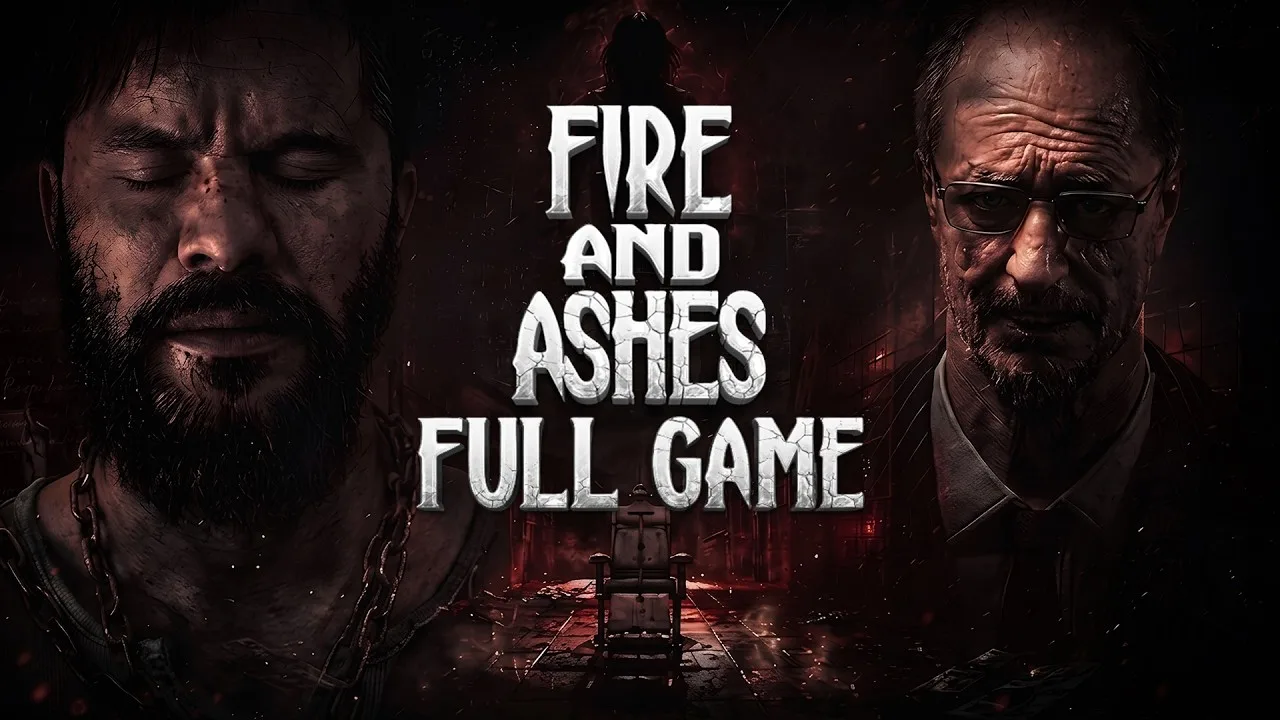
Which FIRE AND ASHES Audio Settings Should You Use?
Your microphone can turn a startled reaction into trouble in FIRE AND ASHES. Choose your FIRE AND ASHES audio settings around whether you want your actual voice involved in survival, because breathing, whispers, and screams are part of the game’s voice recognition system. For a quieter session, use the button-based alternatives; for voice interaction, build your FIRE AND ASHES audio settings around keeping unwanted noise away from your microphone.
You can complete the entire game without a microphone. Voice input adds another way to interact with enemies and certain actions, but speaking is optional.
Start with that decision before worrying about loudness. Hearing the hospital and feeding sound into the game serve different purposes: playback delivers the atmosphere, while microphone input lets your real-world voice affect play.
Use these recommendations as setup choices rather than numerical slider presets:
| Setting or control choice | Recommended setup | Why it helps |
|---|---|---|
| Microphone use | Enable voice interaction when you want to speak during play | Your voice becomes part of enemy interaction |
| Actions during a quiet session | Choose the button-based alternatives | You can perform the relevant actions without shouting |
| Sound around your microphone | Keep unrelated noise down | Voice recognition makes sound part of survival |
| Voice during stealth | Stay quiet | Breathing, whispers, and louder reactions can reveal your presence |
The important choice is how much control you want over the sound you produce. Pick voice interaction deliberately, especially if you share a room or prefer to talk while playing.
Official page: FIRE AND ASHES (store.steampowered.com)
Set Up Your Microphone Around Voice-Based Survival
FIRE AND ASHES follows Henry through a psychiatric hospital and other grim locations tied to his past. Its voice mechanics bring something outside that nightmare into the action: the noise you make while sitting in front of the screen.

The game reacts to breathing, whispers, and panic. A scream can draw attention, but vocal actions can also distract opponents or create an opening. That makes microphone use a gameplay decision, rather than just an immersion preference.
When adjusting FIRE AND ASHES audio settings, separate intentional vocal actions from accidental reactions. Decide when you want to make yourself heard, and keep the space around your microphone quiet enough to support that choice.
Give Each Vocal Action a Purpose
Think about the result you need before speaking:
| Vocal behavior | Gameplay role | Practical tip |
|---|---|---|
| Breathing and whispering | Sounds the voice system can detect | Keep quiet while trying to avoid attention |
| Screaming | Can distract enemies or buy time to escape | Shout deliberately when you need that reaction |
| Taunting | Can create an opening for an attack | Connect the vocal action to your next move |
| Sustained shouting with Electric Voice | Keeps the device producing current | Stop when you have achieved the intended effect |
Avoid treating every encounter as a reason to make more noise. Drawing an enemy’s attention and avoiding detection are different goals. Choose which one matters before using your voice.
Keep conversations, nearby audio, and other distractions away from your microphone during voice-enabled play. A quiet room supports deliberate input: you can choose when to speak instead of competing with everything happening around you.
Separate Listening Volume From Microphone Input
Turning up the game changes what you hear. It does not replace choosing how to control voice actions.
If you play through speakers, keep their sound away from the microphone as much as practical. Consider headphones to separate playback from your voice input. The purpose is to reduce sound reaching the mic while preserving the atmosphere you hear.
Keep playback comfortable, too. The game uses unsettling environmental sound and jump scares, so avoid raising the volume simply to make every quiet moment louder. Leave yourself room to hear a sudden effect without making the entire session unpleasant.
Use Electric Voice Without Wasting Charge
Electric Voice makes the relationship between sound and combat especially clear. This device uses vocal input to deliver electrical damage to compatible enemies with diodes embedded in their skulls.
A shout generates a current that reaches the nearest enemy. Continuing to shout keeps that current running, allowing the device to sustain its effect. Prolonged use can become lethal.
The device also has limited charge. That gives your vocal input a resource cost: extending an attack means continuing to operate a tool that eventually needs recharging.
Build your FIRE AND ASHES audio settings and control choices around deliberate activation. With voice input, control how long you keep shouting. With button-based play, use the alternative controls for the relevant actions.
| Electric Voice function | How it works | Resource consideration |
|---|---|---|
| Electrical attack | A shout generates current toward the nearest enemy | The device has limited charge |
| Sustained electrical effect | Continued shouting maintains the current | Use only as much sustained output as your goal requires |
| Stunning an enemy | A controlled electrical attack can pacify an opponent | Stop after the stun if that is all you need |
| Operating electrical objects | The device can power electric doors, lamps, and other objects | Remember that the tool also serves purposes outside combat |
| Recharging | Charge is restored at a special electric box | Recharge when necessary |
Match the Duration to the Job
Decide whether you need to stun an enemy or continue attacking. Use a controlled application when you want the stun and wish to conserve charge. Sustain the attack when you intend to pursue its more destructive effect.
Keep the device’s environmental uses in mind as well. Electric doors and lamps give it a role beyond fighting, so avoid treating every bit of remaining charge as something to spend immediately.
Keep Your Voice Controlled
There is no need to turn every activation into an uncontrolled scream. Focus on producing the intended action and stopping when you are finished.
The same microphone that enables a vocal attack also participates in a game where sound can expose you. Keep those roles connected in your thinking: speaking can help in one moment and attract unwanted attention in another.
Choose Button Controls and Your Audio Language
Playing without a microphone preserves access to the full game. Button-based alternatives let you handle actions that otherwise involve vocal input, including drawing enemy attention and performing finishing moves.
Choose those controls when speaking would interrupt your session. You can keep listening to the hospital’s soundscape while handling the relevant actions through physical input.
For FIRE AND ASHES audio settings, this is the central convenience option: decide whether you want to produce the sound yourself or use the alternative action.
Keep Hearing and Speaking Separate
Microphone input and game playback do different jobs. You can play without speaking and still hear the environmental audio, effects, and voiced content.
Keep listening during exploration and combat. Sound is a substantial part of the horror atmosphere, even when you choose button controls. The shift changes how you provide input; the hospital still has its own unsettling presence.
Avoid choosing voice interaction solely because it sounds like a requirement. Use it when you want that extra involvement, and choose button alternatives when you want to control actions without involving your surroundings.
Check the Voice Language You Want
English and Russian have full audio support. The other listed languages provide additional language options without full voiced audio support.
| Language option | Full audio support |
|---|---|
| English | Yes |
| Russian | Yes |
| French, Italian, German, and Spanish – Spain | No |
| Simplified Chinese and Armenian | No |
| Portuguese – Brazil and Japanese | No |
Choose English if you want English voiced audio. Keep the distinction between text language and spoken audio in mind when setting up the game, especially if you prefer reading in one language while listening in another.
Troubleshoot Unwanted Sound Before Changing Everything
When a voice-enabled session becomes distracting, start with the part of the setup involved in the problem. Unexpected vocal interaction calls for attention to microphone input; uncomfortable playback calls for attention to what you hear.
Work through FIRE AND ASHES audio settings one choice at a time. Changing your controls and listening volume together makes it harder to judge which adjustment actually improved the session.
If You Keep Attracting Attention
Reduce unnecessary sound around the microphone, and keep quiet when your goal is avoiding detection. Remember that the voice system includes breathing and whispers, rather than responding only to deliberate shouts.
If you want to talk freely while playing, choose the button-based alternatives. Use the control method that fits the room you are in instead of forcing a quiet play style into a noisy setting.
If Shouting Becomes Tiring or Disruptive
Switch to button-based actions. Completing the game does not require sustained vocal participation.
This also removes the need to coordinate every relevant action with your actual voice. You can focus on the encounter while using the alternative input.
If Electric Voice Keeps Running Longer Than Intended
Focus on the duration of your shout. The device continues producing current while you sustain the vocal input.
Stop when the intended effect is complete. Keep its limited charge and electrical utility functions in mind before extending an attack.
If the Horror Audio Feels Overwhelming
Lower playback to a comfortable level and reassess during normal play. Avoid using loudness as your measure of immersion.
Settle your FIRE AND ASHES audio settings around a session you can comfortably finish: clear playback, deliberate voice use, and button alternatives whenever speaking gets in the way.
FAQ
Can You Complete FIRE AND ASHES Without a Microphone?
Yes. The entire game can be completed without one. Button-based alternatives cover actions that otherwise use vocal input, so a microphone is an optional way to participate in the horror.
Which FIRE AND ASHES Audio Settings Matter for Quiet Play?
Choose button-based alternatives for voice actions and keep playback at a comfortable level. That lets you play without needing to shout, taunt enemies aloud, or coordinate actions with your actual voice.
Does FIRE AND ASHES React Only to Screaming?
No. Its voice recognition system also detects breathing and whispers. Screaming has deliberate uses, including distracting enemies and creating time to escape, while quieter sounds are also part of its survival mechanics.
Why Does Electric Voice Keep Producing Current?
Electric Voice sustains its electrical output while you keep shouting. End the vocal input when you have achieved the effect you want, and conserve charge when a stun is enough. The device also powers certain electrical objects and recharges at a special electric box.
Continue with
 FIRE AND ASHES Controller Support: PC AND PS5 GuideSee FIRE AND ASHES controller support on PC and PS5, including compatible gamepads, remapping, sensitivity controls, microphone options, and input fixes.
More in Settings & Controls

FIRE AND ASHES Controls: Voice, Combat, AND PC Inputs
Learn FIRE AND ASHES controls for voice actions, melee combat, inventory, and Electric Voice. Get practical tips for playing with or without a microphone.
FIRE AND ASHES Graphics Settings: PC Performance Guide
Tune FIRE AND ASHES graphics settings with a practical look at resolution, VSync, anti-aliasing, display modes, and PC requirements for clearer gameplay.
FIRE AND ASHES Languages: Full PC AND PS5 Support Guide
Explore FIRE AND ASHES languages on PC and PS5, including English and Russian audio, subtitles, and Portuguese differences. Choose your preferred version.
FIRE AND ASHES Performance: PC Settings AND FPS Guide
Improve FIRE AND ASHES performance with a practical PC settings guide covering system requirements, display options, stuttering, and microphone setup tips.
Continue exploring

FIRE AND ASHES Electric Voice: Combat AND Power Guide
Master FIRE AND ASHES electric voice combat, conserve charge, recharge your device, and power doors and lamps with tips for surviving Henry's nightmare.
FIRE AND ASHES Voice Recognition: How to Use Your Mic
Learn how FIRE AND ASHES voice recognition turns breathing, whispers, and shouts into survival tools, how Electric Voice works, and how to play mic-free.
Join the community
Official channels for news, updates and player help: